10 Best Forex Trading Apps in 2026
A few years ago, almost every Forex trader had to sit in front of a bulky desktop computer to analyze charts and place trades. Today, things are different. Modern Forex trading apps allow you to monitor the market, manage your risk, deposit money, and execute trades directly from your smartphone while on the go.
The problem is that there are now hundreds of trading apps on the App Store and Google Play. Some are great for absolute beginners, while others are built for professional scalpers. Choosing the wrong app can lead to slow trade execution, high hidden fees, and unnecessary headaches.
In this guide, we have compared the 10 best Forex trading apps in 2026 to help you find the one that matches your trading style.
⚖️ How We Selected These Apps
Instead of listening to flashy marketing advertisements, we evaluated these apps on features that actually impact your trading profit and loss:
- Ease of Use: How easy is it for a beginner to navigate the app?
- Security: Does the app support two-factor authentication (2FA) and biometric login?
- Execution Speed: Do trades open instantly, or is there a delay?
- Transaction Options: Easy deposits and withdrawals (especially local bank transfers).
- Reliable Support: How fast does their customer support respond?
1. Exness Trade App — Best Overall Trading App
Exness is highly popular worldwide, and for good reason. Their mobile app is clean, fast, and does not overwhelm you with complex menus. It is particularly famous for having the fastest withdrawal processing in the industry.
- Pros: Instant automatic withdrawals, very low spreads, and a simple identity verification process.
- Cons: Advanced chart analysis still feels smoother on the desktop MetaTrader 5.
- Best For: Both beginners and intermediate traders looking for a reliable, all-in-one mobile app.
2. XM Trading App — Best for Learning & Education
XM is a household name in the Forex industry. Their mobile app stands out because it combines trading features with high-quality educational content, webinars, and daily market analysis.
- Pros: Excellent educational videos, daily market updates, and multi-language support.
- Cons: The charting screen has fewer custom indicators than some professional platforms.
- Best For: New traders who want to learn the basics of forex analysis while trading.
3. Octa Trading App — Best for Copy Trading
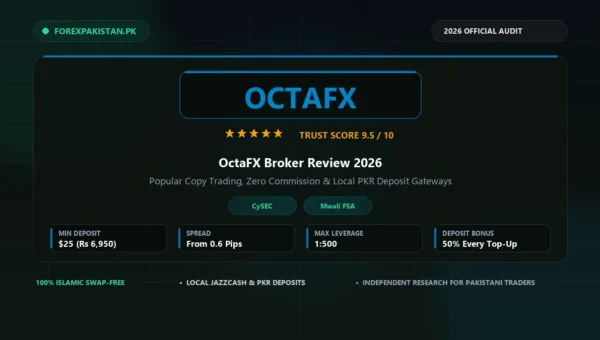
Octa focuses on keeping things simple. Their app has a clean dashboard that makes copy trading (following expert traders’ accounts) extremely easy for beginners.
- Pros: Built-in copy trading system, simple deposit methods, and zero commission on standard accounts.
- Cons: Professional day traders might find the charting features too basic.
- Best For: Beginners and part-time traders who prefer copy trading over manual analysis.
4. FBS Trader — Best for Simple Account Management
FBS Trader is an all-in-one application designed to keep your trading experience straightforward. You do not need to switch between the broker’s website and MT4; everything happens inside this single app.
- Pros: Very quick account setup, user-friendly interface, and quick local bank support.
- Cons: Charting tools are basic compared to MT5.
- Best For: Casual traders who want a simple interface to open and close trades quickly.
5. HFM App (HotForex) — Best for Account Flexibility
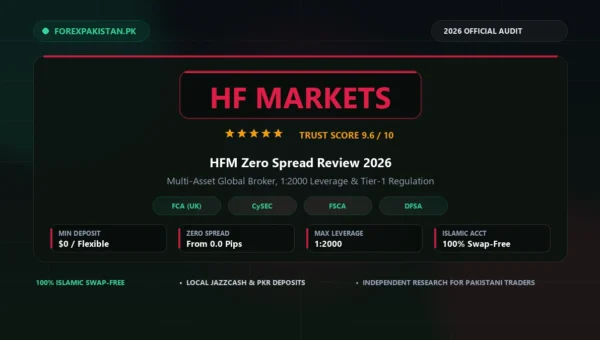
HFM has a long-standing reputation for safety and global regulation. Their newly designed mobile app offers multiple account types, allowing you to choose between fixed or variable spreads depending on your strategy.
- Pros: Highly regulated broker, good execution quality, and a built-in economic calendar.
- Cons: The interface can look a bit busy with too many options for complete beginners.
- Best For: Intermediate traders who value broker regulation and account flexibility.
6. AvaTradeGO — Best for Mobile Risk Management
AvaTradeGO is a beautifully designed app that focuses on keeping your capital safe. It features an exclusive tool called “AvaProtect,” which allows you to purchase temporary protection against losses on specific trades.
- Pros: Premium design, easy navigation, and unique risk-management tools.
- Cons: Spreads are slightly higher compared to raw spread ECN brokers.
- Best For: Risk-conscious traders who want to protect their trades from sudden market news spikes.
7. IC Markets App — Best for Low Spreads & Scalping
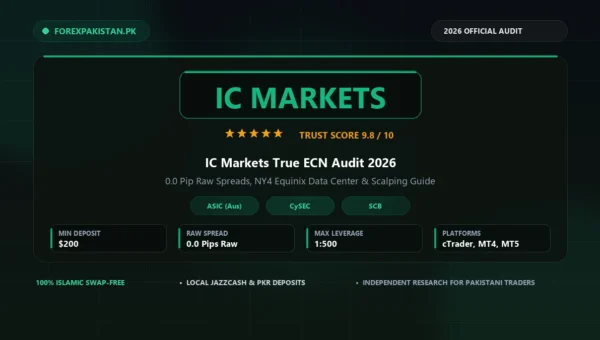
IC Markets is the go-to app for day traders and scalpers who open and close dozens of trades daily. The broker connects directly to ECN liquidity pools, offering spreads as low as 0.0 pips on major pairs.
- Pros: Ultra-low spreads, raw pricing, and instant trade execution.
- Cons: The platform does not focus heavily on educational guides for beginners.
- Best For: Experienced day traders and scalpers who trade high volumes.
8. Pepperstone App — Best for Advanced Charting
Pepperstone is globally respected for its execution speed and app stability. In addition to MT4 and MT5, the Pepperstone mobile app integrates seamlessly with cTrader and TradingView, giving you access to advanced charting tools.
- Pros: Extremely reliable app, low commission rates, and advanced charting.
- Cons: Not designed for complete beginners who do not understand technical terms.
- Best For: Professional and technical chart analysts.
9. Tickmill Mobile App — Best for Low Commission Rates
Tickmill is preferred by traders who do not care about fancy designs or banners but care about keeping their trading costs low. Tickmill offers some of the lowest commissions in the industry on its VIP and Pro accounts.
- Pros: Very low trading costs, highly regulated, and no hidden fees.
- Cons: The app interface feels a bit old-school and lacks educational tutorials.
- Best For: Intermediate to professional traders who want to minimize trading fees.
10. FXTM Trader — Best for Daily Market Signals
FXTM (ForexTime) combines trading with daily market research. Their mobile app features a dedicated section for trading signals created by their in-house market analysts, which can help beginners find trade setups.
- Pros: Easy to use, free trading signals, and reliable customer support.
- Cons: Withdrawals can sometimes take longer compared to brokers like Exness.
- Best For: Beginners who want daily trading ideas and market insights.
📊 Forex Trading Apps Comparison
| Trading App | Best For | Mobile Experience Rating |
|---|---|---|
| Exness Trade | All-Around Mobile Trading | ⭐⭐⭐⭐⭐ (5/5) |
| XM App | Trader Education & News | ⭐⭐⭐⭐☆ (4.5/5) |
| Octa App | Copy Trading & Simplicity | ⭐⭐⭐⭐☆ (4.5/5) |
| AvaTradeGO | Risk Protection Tools | ⭐⭐⭐⭐☆ (4.5/5) |
| IC Markets | Scalping & Low Spreads | ⭐⭐⭐⭐☆ (4/5) |
| Pepperstone | Pro Charts (cTrader) | ⭐⭐⭐⭐☆ (4/5) |
| FBS Trader | Quick Simple Trading | ⭐⭐⭐⭐☆ (4/5) |
| HFM App | Account Customization | ⭐⭐⭐⭐☆ (4/5) |
| FXTM Trader | Daily Trading Signals | ⭐⭐⭐⭐☆ (4/5) |
| Tickmill | Lowest Trading Costs | ⭐⭐⭐☆☆ (3.5/5) |
🇵🇰 Best Forex Trading Apps for Pakistani Traders
If you are trading from Pakistan, you need to consider three main things: local payment options (JazzCash/Easypaisa), low minimum deposits, and swap-free Islamic accounts.
Based on these factors, the most popular apps in Pakistan are:
- Exness Trade: Best because it allows direct automatic deposits and withdrawals using JazzCash, Easypaisa, and local bank transfers.
- Octa App: Very popular among beginners due to its simplicity and active Urdu customer support.
- XM App: Excellent for online bank transfer deposits and free swap-free Islamic accounts.
🛡️ Safety Tips Before Installing Any Trading App
Before you deposit your hard-earned money, make sure you follow these security rules:
- Check the License: Only trade with apps whose brokers are regulated by tier-1 authorities like the FCA (UK), ASIC (Australia), or CySEC (Europe).
- Turn on 2FA: Always enable Two-Factor Authentication (OTP code via SMS or Google Authenticator) to protect your funds from hackers.
- Download from Official Sources: Never download trading apps from third-party websites. Only use the official links on the broker’s website, Google Play, or App Store.
- Start with a Demo Account: Open a free demo account on the app first. Do not deposit real money until you know how to set your Stop Loss and Take Profit levels.
❓ Frequently Asked Questions (FAQs)
Which Forex trading app is best for beginners?
Exness Trade and XM are considered the best for beginners. Exness is extremely simple to navigate, while XM provides excellent free tutorials to help you learn trading basics.
Can I trade Forex entirely from my mobile phone?
Yes. You can manage your entire trading account, deposit funds, analyze charts, and place trades directly from your smartphone. However, doing deep technical analysis on a larger computer screen is still recommended.
Are Forex trading apps safe to use?
Yes, but only if you use apps from legally regulated brokers. Avoid unknown apps that promise guaranteed profits or are not listed on official app stores.
Which app has the lowest spreads?
IC Markets and Pepperstone generally offer the lowest raw spreads (starting from 0.0 pips) on major currency pairs, making them the best for scalpers.
🧠 Final Verdict
The best Forex trading app is the one that fits your personal trading style and budget.
If you are a beginner, prioritize apps that offer simplicity and good customer support (like Exness or Octa). If you are an experienced day trader or scalper, prioritize apps that offer fast execution speed and low spreads (like IC Markets or Pepperstone).
Always remember to trade responsibly, practice on a demo account first, and never risk more capital than you can afford to lose.